
Every vendor credentialed and checked in, without the chase.
Vendors upload insurance, permits, and licenses when they register. Your team accepts each one with its expiration date, sees whose papers lapse before event day, and checks vendors in at the gate.
Join Early Access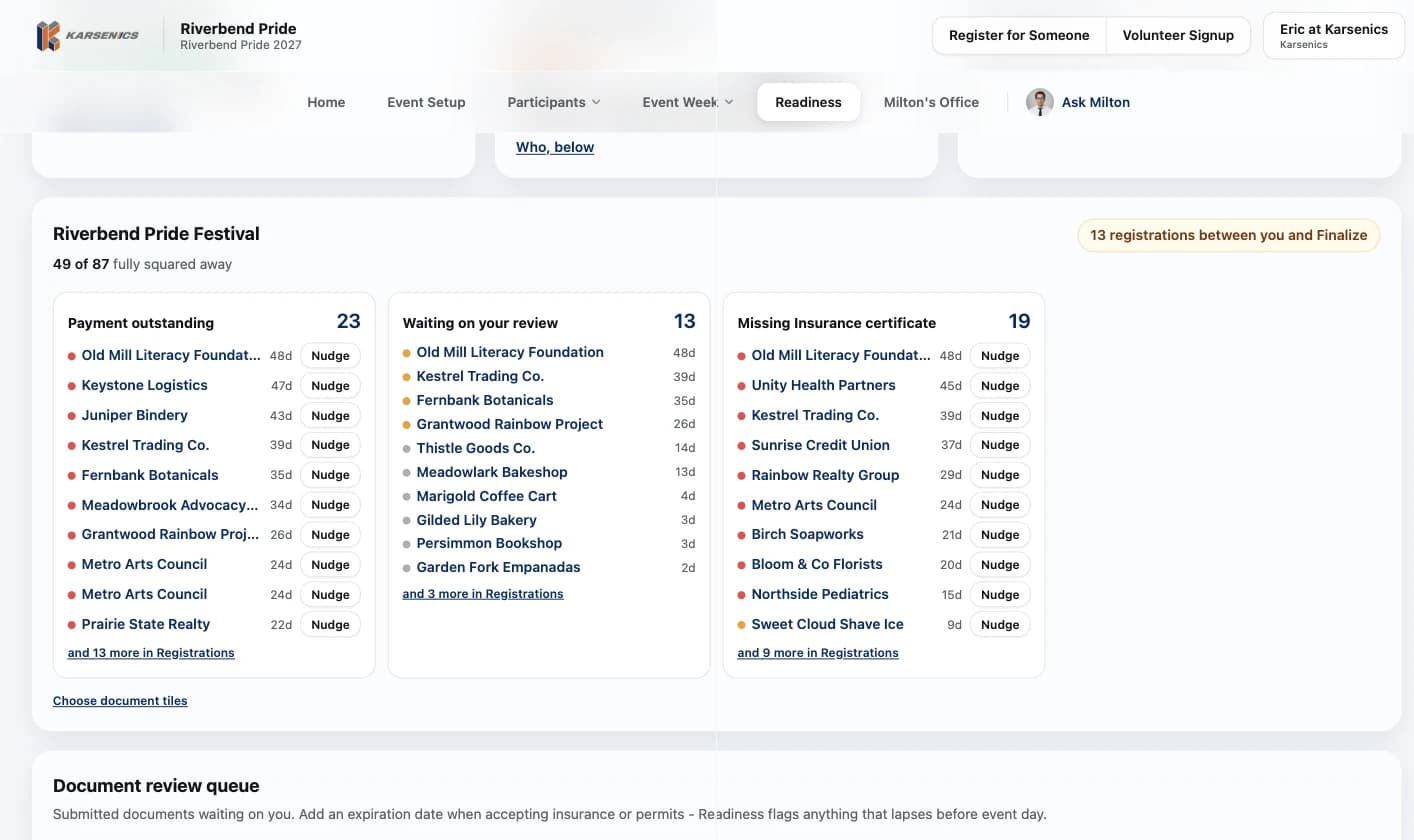
Missing and expired certificates are how events get blindsided.
Tracking insurance, permits, and licenses across dozens of vendors by email is how things slip through. Karsenics keeps every document on the vendor's record, waits for a person to accept it, and flags papers that expire before event day.
- Expired or missing certificates discovered on event day
- Follow-up emails that never get answered
- Permits and licenses tracked in a fragile spreadsheet
- No clear, fast way to check vendors in on site
Built so nothing about a vendor slips through.
Documents at registration
Required documents sit inside the registration form, with a private upload link for anything that comes later.
A review queue
Every upload waits for a person to accept or reject it, with the expiration date recorded.
Expiring papers flagged
Anything that lapses before event day shows on Home and in Readiness, with a button to the registration.
Readiness by name
Who owes payment, who is waiting on review, and who is missing a certificate, each with days waited and a Nudge button.
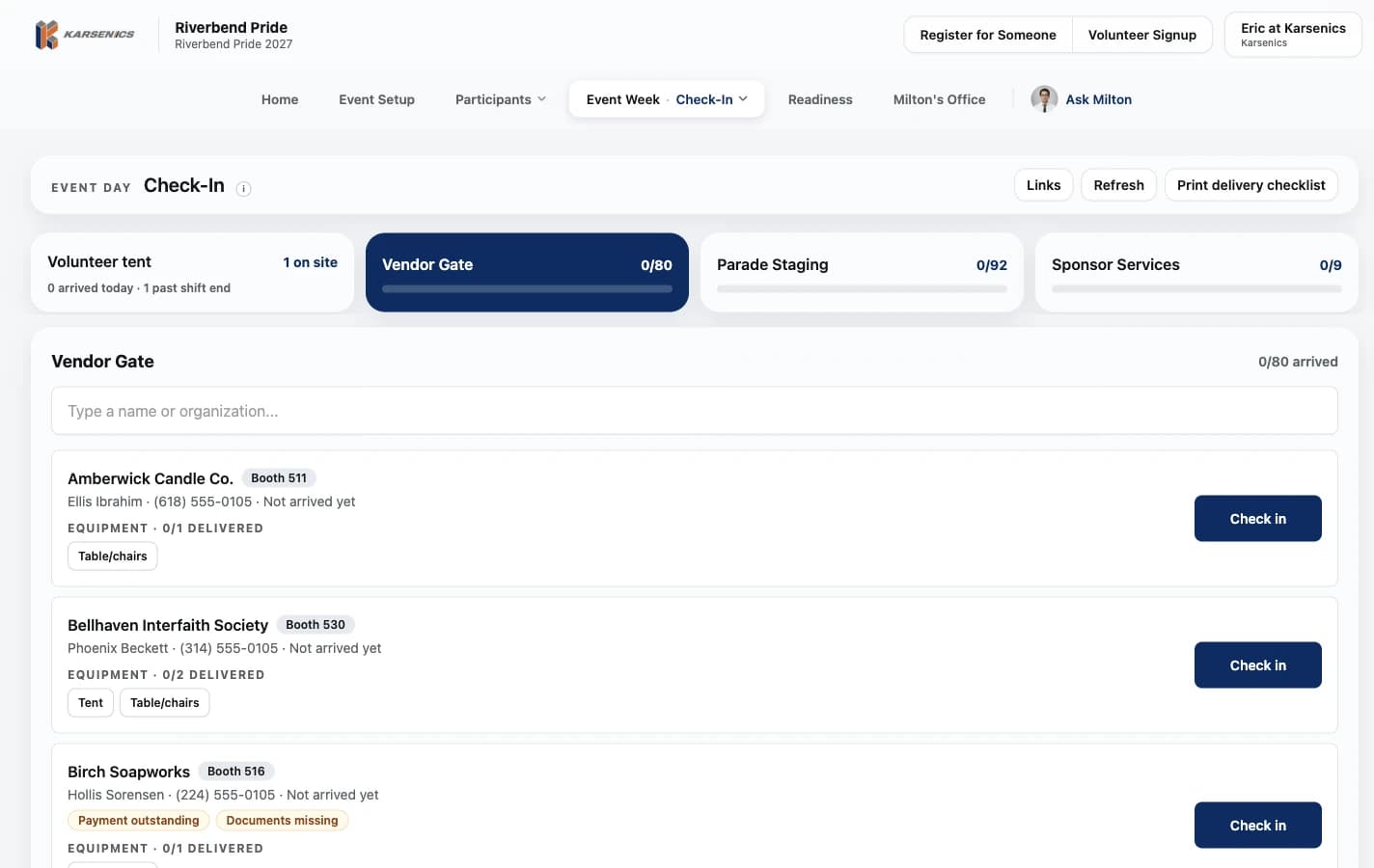
Vendor gate check-in
Crew check vendors in at their own station, with booth number, open issues and equipment to hand over.
One record per vendor
Documents, payment, booth and history live on a single record that carries into next season.
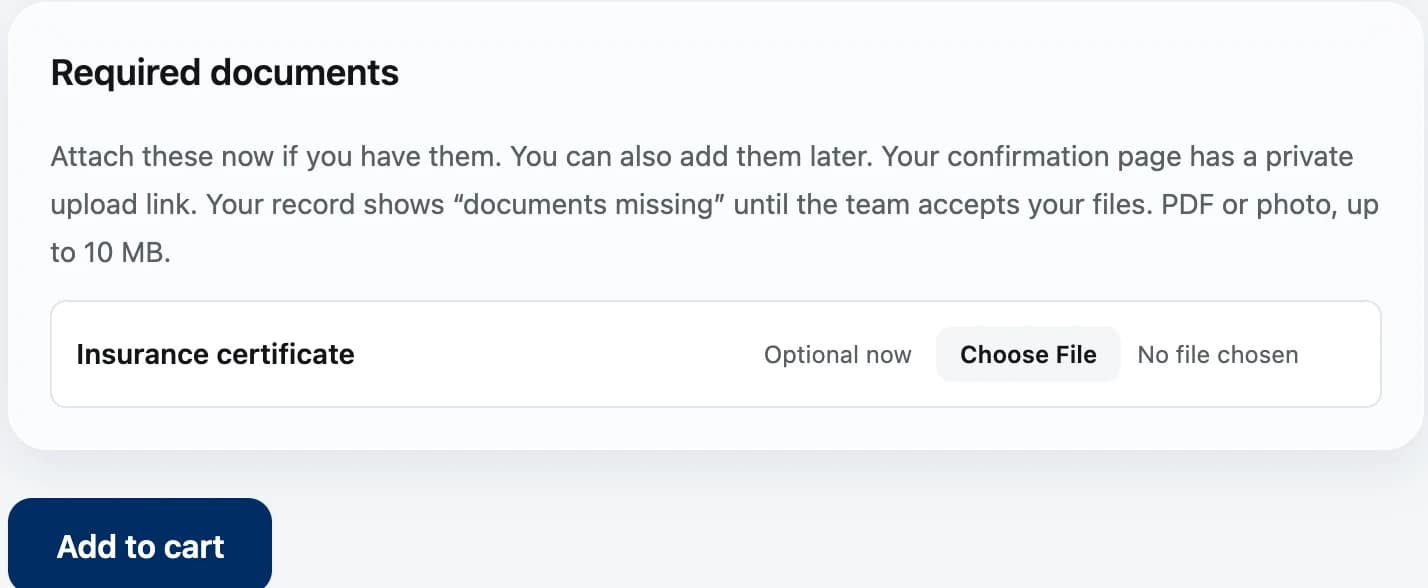
Vendors upload their papers when they register.
Required documents are part of the registration form. Vendors attach them now if they have them, or later through the private upload link on their confirmation page.
- PDF or photo, up to 10 MB
- The record reads documents missing until your team accepts the files
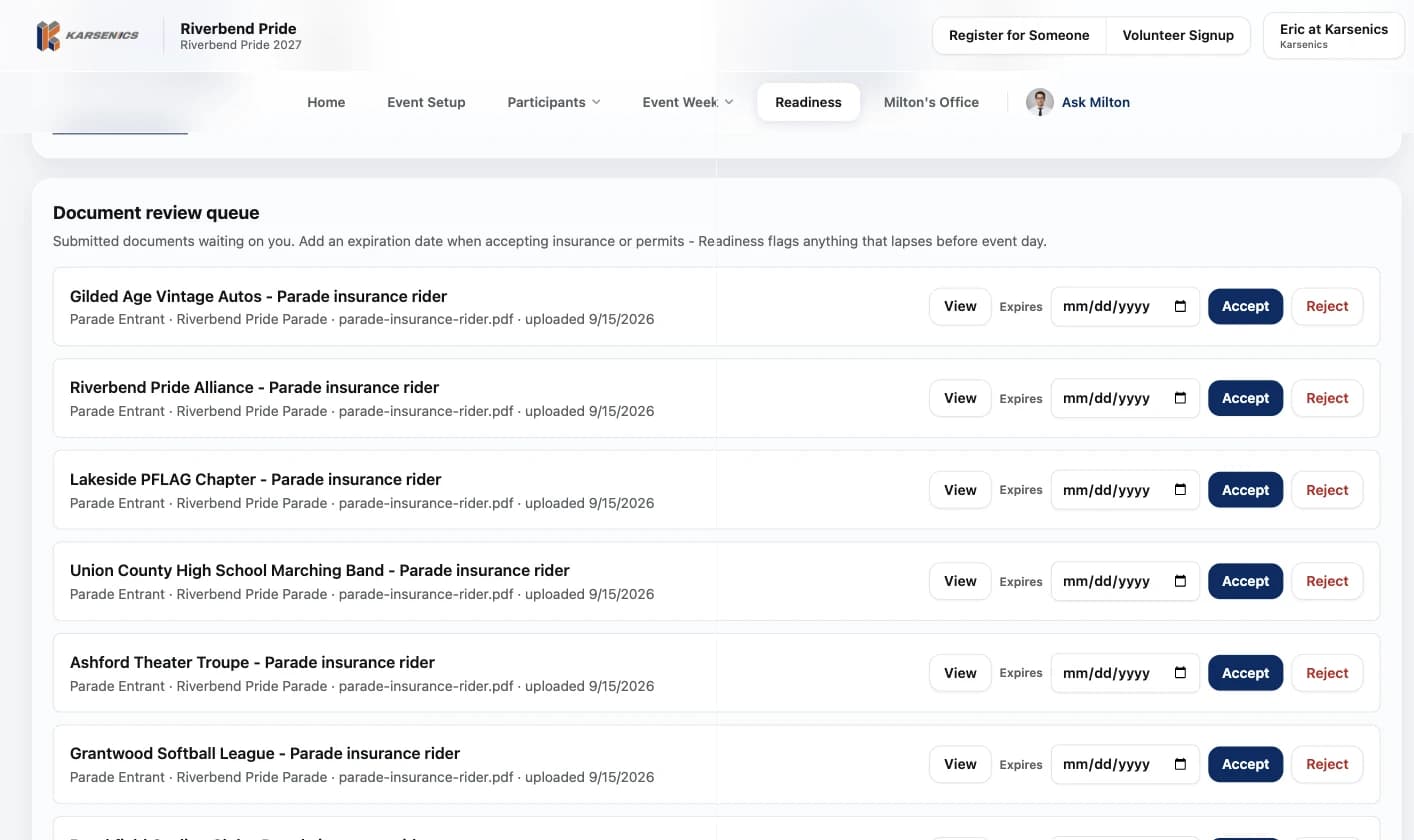
Every upload waits for a person.
The review queue lists each submitted document with who sent it, for which event, and when. Add the expiration date as you accept insurance or permits, and Readiness flags anything that lapses before event day.
- View, accept or reject each file in place
- Expiration dates recorded at the moment of review
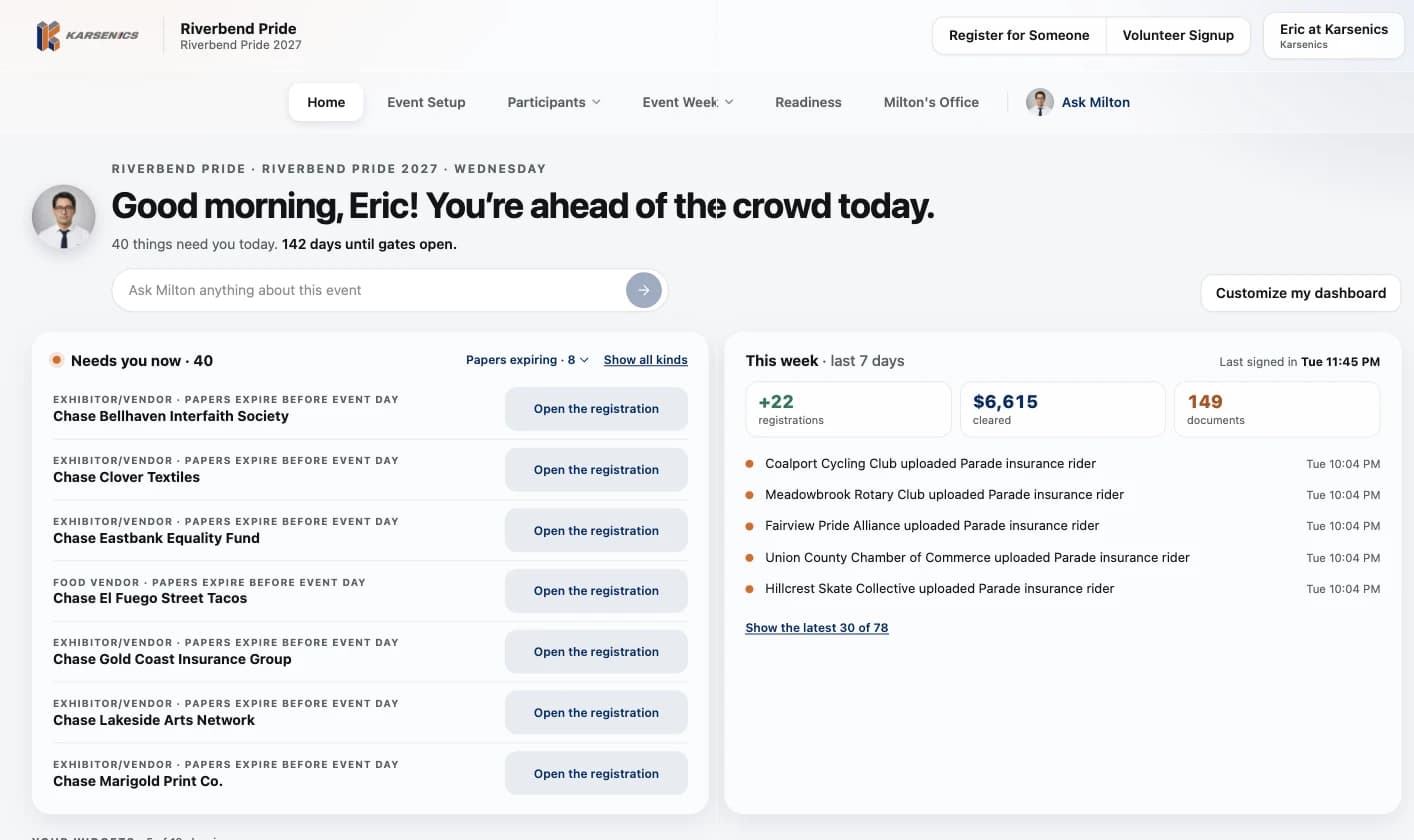
Papers that expire before event day show up on Home.
Needs you now lists every vendor whose papers run out before gates open, and each button opens that vendor's registration, where the document controls are.
- Narrow Needs you now to expiring papers with one filter
- This week shows what vendors uploaded and when
The vendor gate knows what each vendor still owes.
Crew search by name, see the booth number, any missing documents or payment, and the equipment to hand over, then check each vendor in.
- Equipment tracked unit by unit, so every tent and table set is accounted for
- Unlocked with the event's gate PIN
- Keeps working when the signal drops, and syncs when it comes back
Ready to stop chasing vendor paperwork?
Let's talk through how vendor credentialing and check-in would work for yours.