
A sponsorship is a list of promises. This is how you keep them.
Levels and benefits come from your event setup. A sponsor picks one, the invoice writes itself, and the booth space or parade entry the package includes becomes a real registration with a real number. Then every promise is tracked until it is delivered.
Join Early Access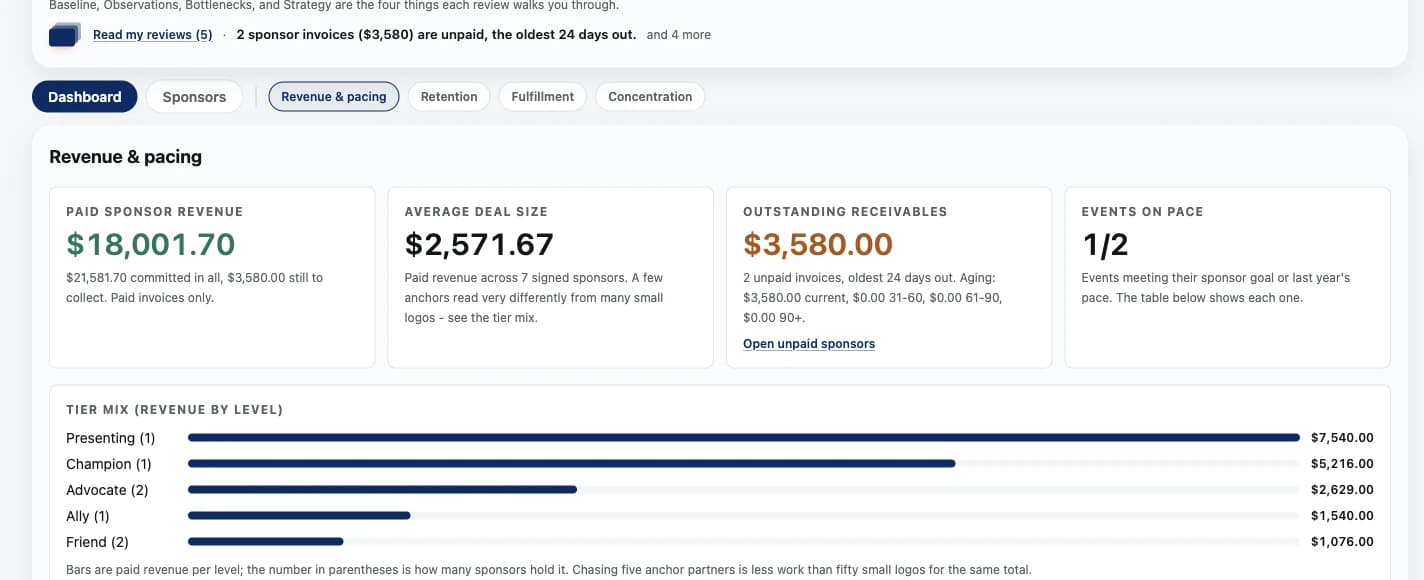
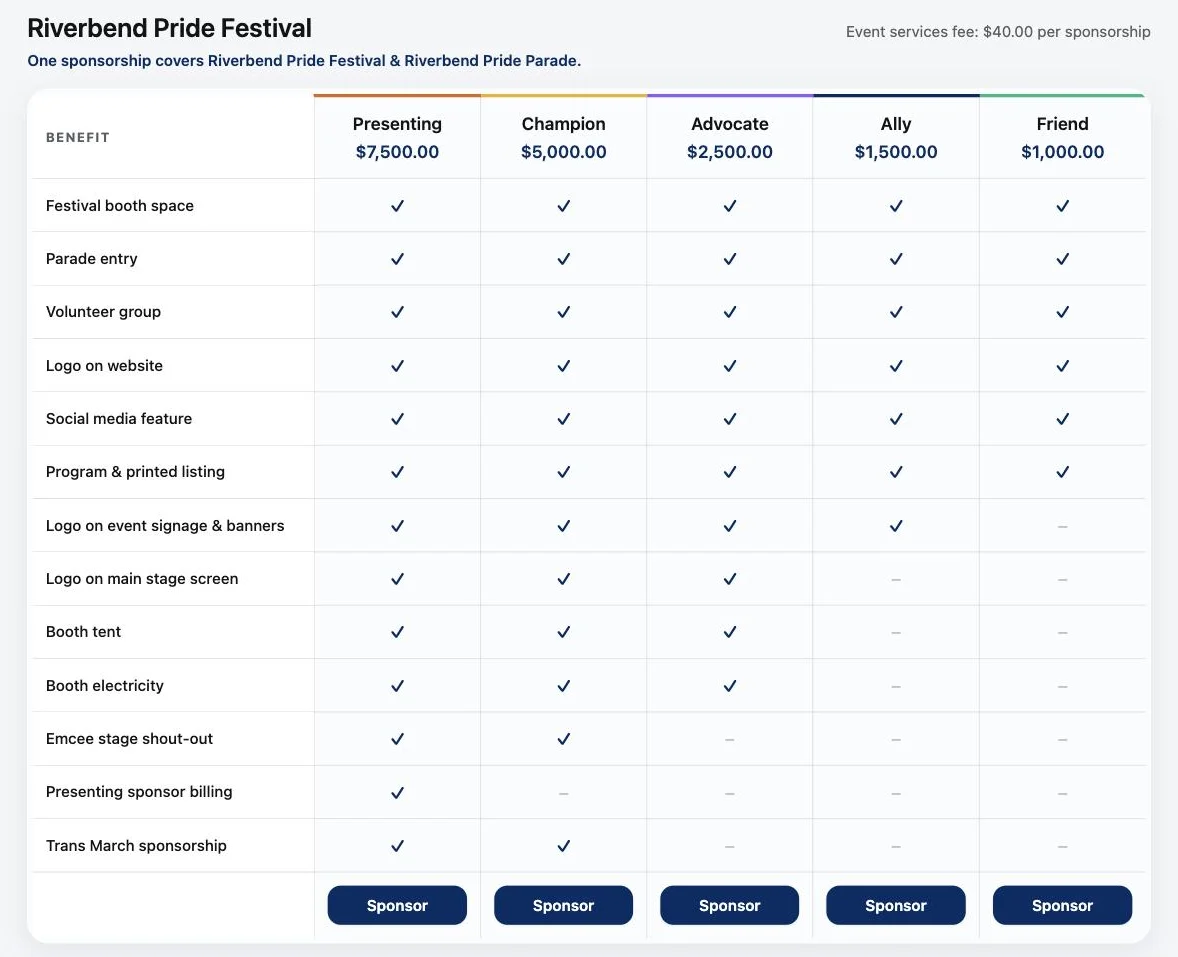
Every level, side by side, with the price on it.
A short film of a sponsor application in the real product, with demonstration data. No sound needed.
The sponsorship gets sold in March and remembered in October.
The deck promised a booth, a parade spot, a logo on the banner, a volunteer group, and a stage shout-out. Six of those live in one person's memory and one email thread. Karsenics turns the level you sold into a checklist with dates on it, and turns the parts that are really registrations into actual registrations.
- A benefit nobody delivered because nobody was tracking it
- Sponsor booths assigned separately from every other booth
- Logo files chased over email two days before print
- No single answer to how much sponsorship money is actually committed
From the level you sold to the thing you owe.
Levels from your setup
Each tier's price and included benefits are defined once in Event Setup and drive the signup page, the invoice, and the checklist.
Self-signup or staff entry
Prospects pick a level themselves on the registration page, or your team enters a signed commitment. Both land in the same pipeline.
One form, real records
Included booth space and parade entry become genuine registrations, auto-approved and covered by the package price, with numbers and packets like any other entrant.
Benefit checklist
Every benefit the level promised becomes a row to tick off. All ticked and the sponsorship reads as fulfilled.
Due dates and past due
Benefits carry delivery dates, so the board tells you what is late rather than waiting for someone to notice.
Asset upload links
Sponsors upload logo packages through their own private link, the same way every other document reaches you.
Committed against goal
Sponsors, committed against your goal, paid, and benefits outstanding, on one line at the top of the module.
One fee per sponsorship
A package carrying a festival space and a parade spot carries one Karsenics fee, not one per included registration.
Every level side by side, with the price on it.
Your public sponsorship page lays out each level's price and exactly what it includes, straight from your event setup. A sponsor picks one and moves through the application and a single checkout.
- Benefits come from the levels you set up, so the page and the invoice agree
- One sponsorship can cover more than one of your events
- One Karsenics fee per sponsorship, however much it includes
- Included booth space and parade entry become real registrations
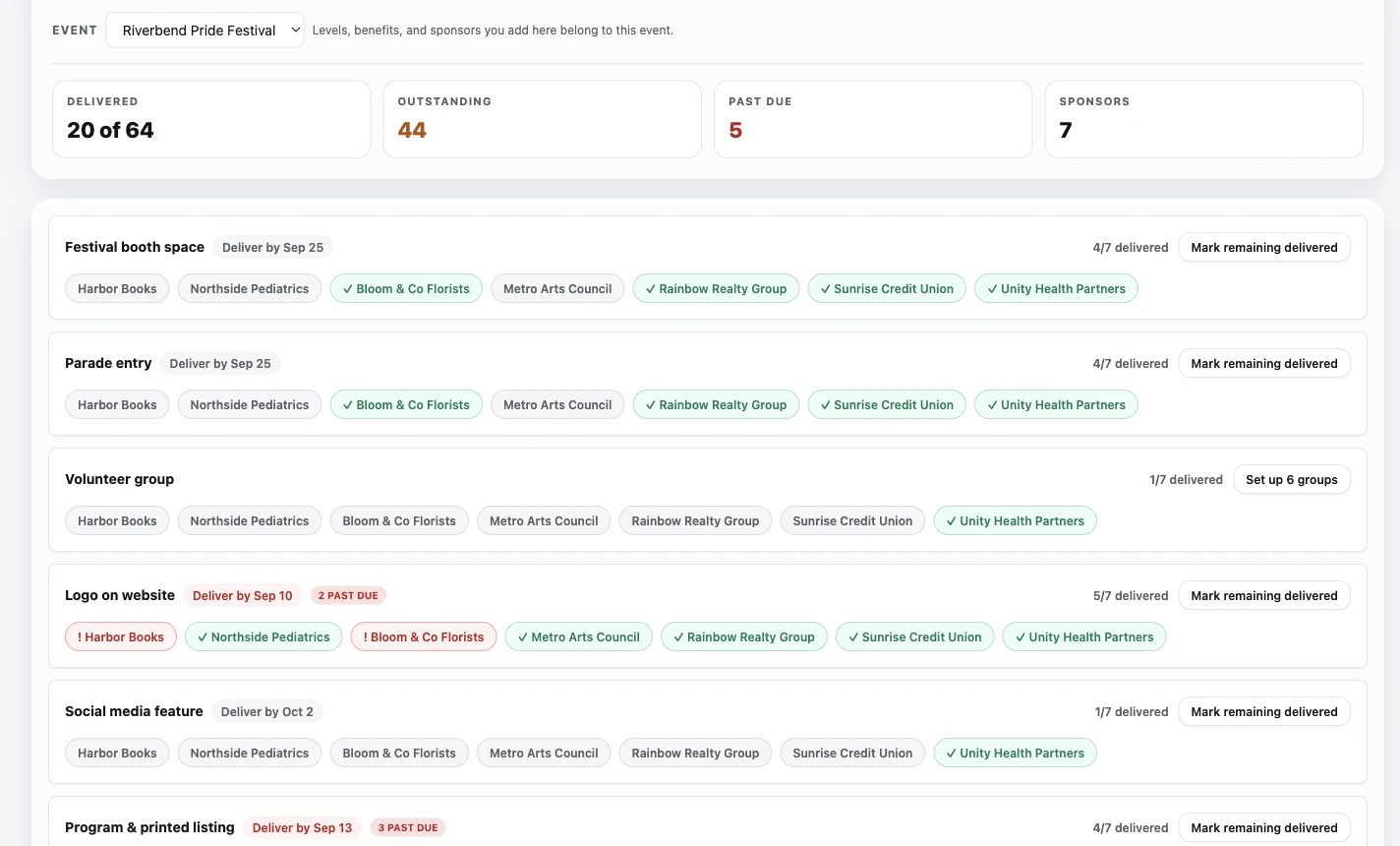
The Flair board: every benefit, every sponsor, one grid.
Benefits down the page, sponsors inside them. Delivered, outstanding, and past due counted at the top, each row showing which sponsors have received that benefit and which have not. When a row is nearly done, mark the rest delivered in one action.
- One row per benefit rather than one page per sponsor
- Delivery dates on the row, with past due called out in red
- Green means delivered, plain means outstanding, and the count is always visible
- Mark the remainder of a row delivered without opening each sponsor
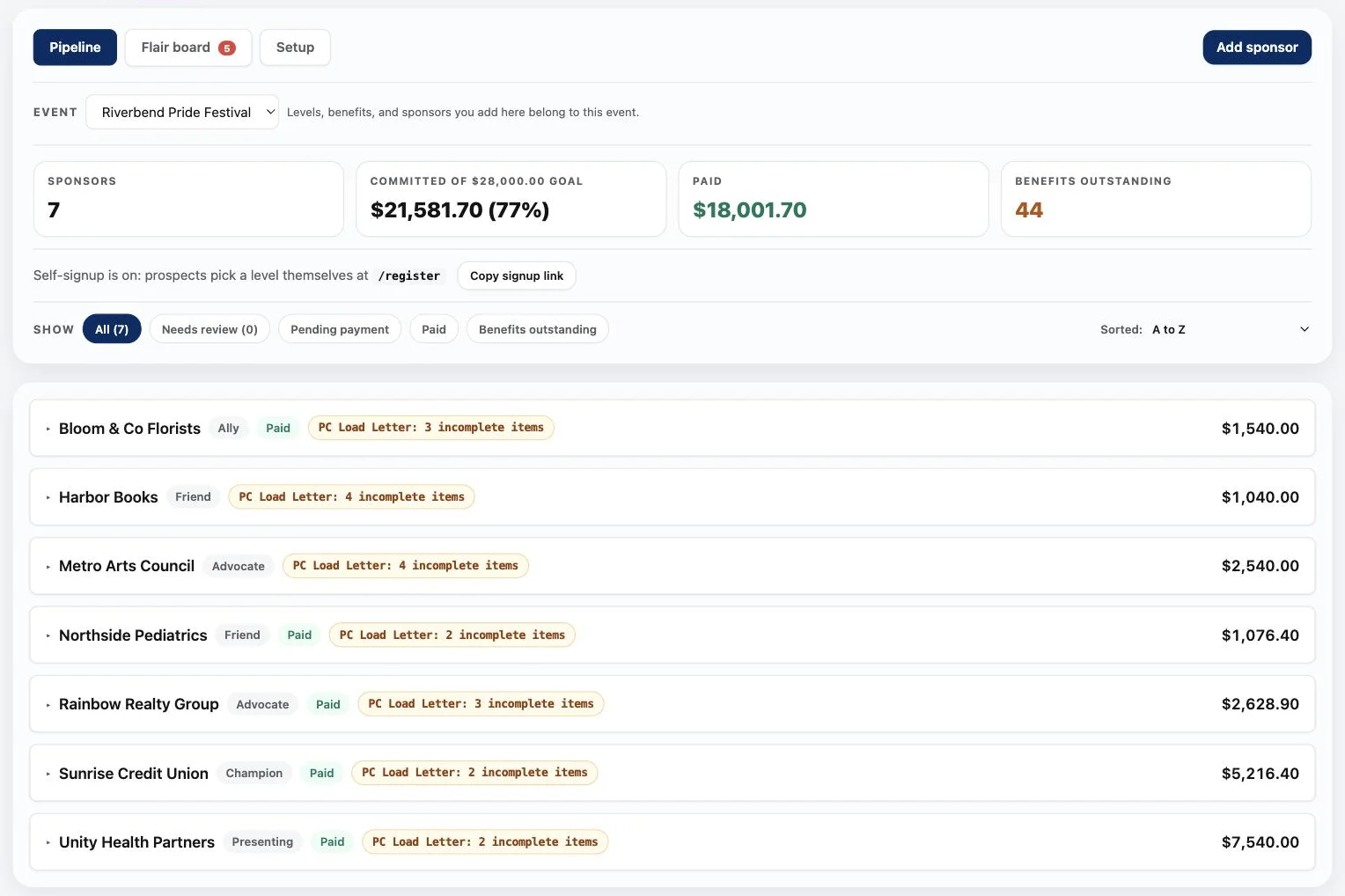
Committed, paid, and outstanding, without a spreadsheet.
The pipeline opens on the four numbers a sponsorship chair is asked for: how many sponsors, how much is committed against the goal, how much has actually been paid, and how many promised benefits are still owed. Then every sponsor in one list with its level, payment and what is still incomplete.
- Committed against your own goal, as a figure and a percentage
- Paid tracked separately, because a signed commitment is not money in the bank
- Filters for needs review, pending payment, paid, and benefits outstanding
- Self-signup link ready to copy into an email or a deck
What did you promise your sponsors this year?
Bring your sponsorship levels and we will walk through how the package, the invoice, and the benefits would run here.